logo

مزود حلول الاتصال والحقن من نقطة واحدة

المنزل
المنتجات
حولنا
جولة في المصنع
مراقبة الجودة
اتصل بنا
طلب اقتباس
أخبار
مدونة
منزل مدونة

HDMI Standards Explained Uses and Alternatives

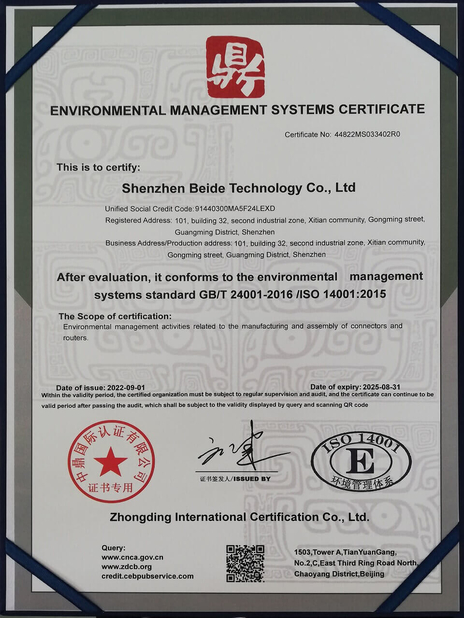
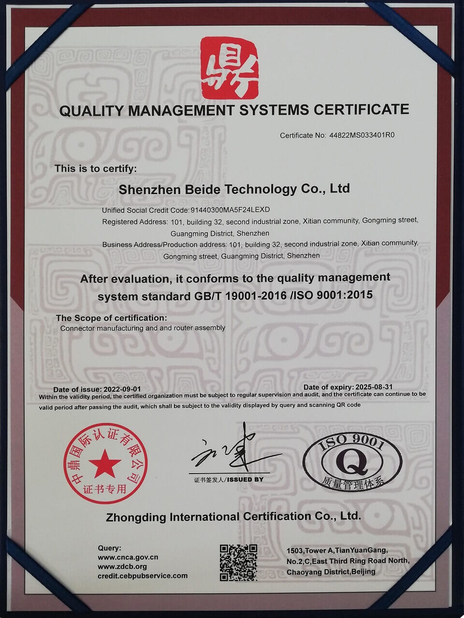
الشهادات
الصين DONGGUAN BEDE MOLD AND PLASTIC FRODUCTS CO., LID الشهادات
زبون مراجعة
مرحباً (إليسا) في بداية العام الماضي، زميل عمل لي كان قد طلب 20 كابل من شركتك. الكابلات التي صنعتها شركتك لنا عملت بشكل جيد جدا، وأنا مهتمة باستخدام شركتك لإنتاج المزيد من هذه الكابلات في المستقبل.

—— (ماثيو غوتزمان)

سعر تنافسي، خدمة عالية الجودة، وسوف نتعاون معكم لفترة طويلة!

—— دونجيك إيليا

ابن دردش الآن
الشركة مدونة
HDMI Standards Explained Uses and Alternatives
آخر أخبار الشركة HDMI Standards Explained Uses and Alternatives

Imagine purchasing a state-of-the-art 8K television only to discover your vintage DVD player's ports are incompatible. Or attempting to connect your laptop to a projector and finding only a VGA input available. These seemingly minor frustrations highlight a fundamental issue in modern electronics—the evolution of interface standards and their compatibility challenges. This article provides an in-depth examination of HDMI technology, covering its specifications, variants, applications, and alternatives.

I. HDMI Interface Overview

HDMI (High-Definition Multimedia Interface) represents the gold standard in digital audiovisual connectivity, having effectively replaced analog interfaces in contemporary devices. This all-digital solution transmits uncompressed video and audio signals, delivering superior picture quality and sound fidelity. From televisions and Blu-ray players to gaming consoles and computers, HDMI has become ubiquitous in consumer electronics.

II. Technical Advantages of HDMI
  • Digital Transmission: HDMI's fully digital signal path eliminates the distortion and interference common in analog systems, preserving signal integrity.
  • High Bandwidth: With exceptional data throughput, HDMI supports high-resolution, high-frame-rate content including 4K and 8K video.
  • Unified Audio/Video: The interface simultaneously carries both audio and video signals, eliminating the need for separate connections.
  • Content Protection: HDCP (High-bandwidth Digital Content Protection) safeguards against unauthorized content duplication.
  • Device Control: CEC (Consumer Electronics Control) functionality enables single-remote operation of multiple connected devices.
III. HDMI Connector Types

HDMI interfaces vary by size and application:

  • Type A (Standard): The most common variant, found on televisions, computers, and gaming systems.
  • Type C (Mini): Compact design for tablets and slim laptops.
  • Type D (Micro): Ultra-small connectors for smartphones and digital cameras.
  • Type E (Automotive): Ruggedized version for vehicle entertainment systems.
IV. HDMI Version History

The standard has evolved through several iterations:

  • HDMI 1.4: Introduced 4K resolution (3840×2160), 3D support, Audio Return Channel (ARC), and HDMI Ethernet Channel (HEC).
  • HDMI 2.0: Increased bandwidth to 18Gbps, supporting 4K/60Hz, HDR, and 21:9 aspect ratios.
  • HDMI 2.0a/b: Added support for HDR10 and HLG formats.
  • HDMI 2.1: Major upgrade to 48Gbps bandwidth, enabling 8K/60Hz, 4K/120Hz, dynamic HDR, and Variable Refresh Rate (VRR).
V. Selecting HDMI Cables

Optimal performance requires appropriate cabling:

  • Choose HDMI-licensed cables for guaranteed compatibility
  • Match cable length to your setup—excessive length causes signal degradation
  • Prioritize cables with robust electromagnetic shielding
  • Gold-plated connectors enhance conductivity and durability
  • Ensure cable specifications match your required HDMI version
VI. Distance Limitations and Extensions

Standard HDMI cables typically maintain signal integrity up to 10 meters. For longer runs consider:

  • HDMI Extenders: Convert signals to Ethernet or fiber optic for long-distance transmission
  • HDMI Repeaters: Amplify signals for moderate distance increases
  • Fiber Optic HDMI: Low-loss, interference-resistant solution for extended runs
VII. Interface Conversion Options

When connecting to legacy systems:

  • HDMI-to-RCA: Digital-to-analog conversion with quality limitations
  • HDMI-to-VGA: Requires separate audio connection and suffers quality loss
  • HDMI-to-DVI: Direct digital conversion (no audio support)
  • HDMI-to-DisplayPort: Direct digital conversion with audio support
  • HDMI-to-USB: Requires capture devices for computer input
VIII. Troubleshooting Common Issues

Frequent challenges and solutions:

  • No Signal: Verify connections and input selection; try alternate cables/ports
  • Image Artifacts: Inspect cable integrity; confirm proper resolution settings
  • Audio Problems: Check cable specifications and device audio output settings
  • HDCP Errors: Update firmware or temporarily disable content protection
IX. Future Developments

The HDMI standard continues evolving, with upcoming versions promising enhanced HDR support and new features. Wireless HDMI technology also progresses, potentially eliminating cable dependencies while maintaining quality.

X. Alternative Interface Standards

While dominant, HDMI isn't the only option:

  • DisplayPort: Preferred for high-refresh-rate computer displays
  • USB-C: Multipurpose connector supporting video, audio, data, and power
  • Wireless Protocols: Wi-Fi Display, Miracast, and AirPlay offer cable-free solutions

As the cornerstone of modern audiovisual connectivity, HDMI technology remains essential for home entertainment, professional, and educational applications. Understanding its capabilities and limitations empowers users to optimize their viewing experiences while navigating an increasingly complex technological landscape.

حانة وقت : 2026-03-01 00:00:00 >> blog list
تفاصيل الاتصال
DONGGUAN BEDE MOLD AND PLASTIC FRODUCTS CO., LID

اتصل شخص: Ms. admin

الهاتف :: 15915396878

إرسال استفسارك مباشرة لنا (0 / 3000)